Getting Started with Plex
So, you’ve signed up for a free Plex account after clicking on an invite from DeutsFlix, but you arrive at this clutter of movies and TV shows that you have never heard of or you’re not at all interested:
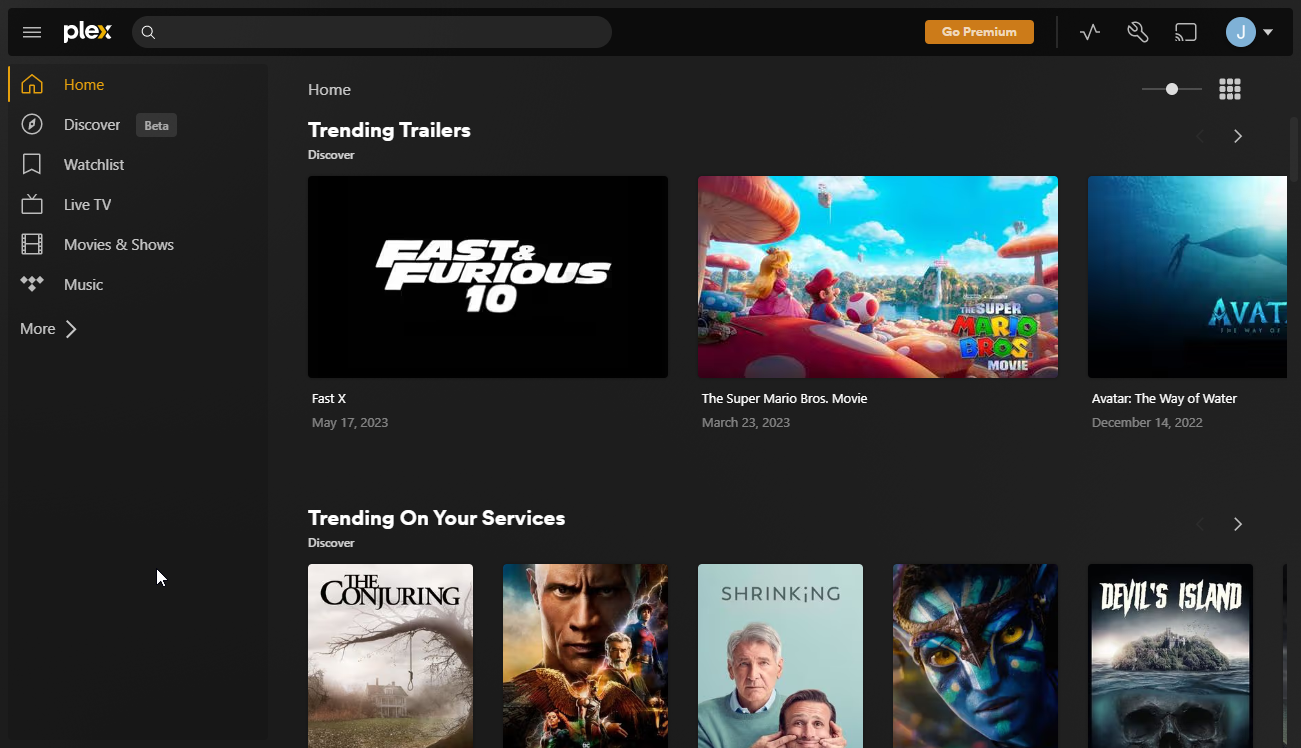
This is really Plex’s shit that tries to shove onto everyone’s throat their own shitty “Movies & Shows” library as well as Live TV and Music. Don’t worry, the first thing you should do after signing up for a new Plex account is to organize your Plex homepage:
Organize your Plex Homepage
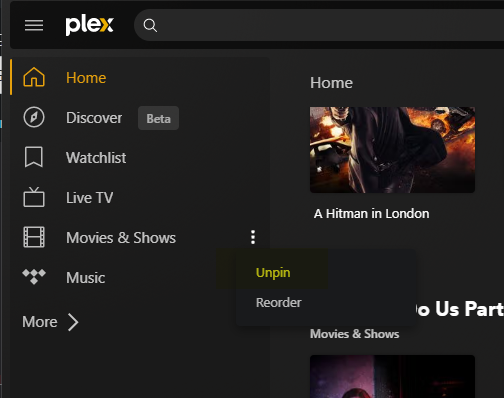
Unpin the “Movies & Shows”, “Live TV”, and “Music” libraries
Hover on those libaries in the sidebar, the three-horizontal-dots will appear and click those, then select unpin:
Click the “More >” button to show the DeutsFlix Libaries and Pin the Movies and TV Shows
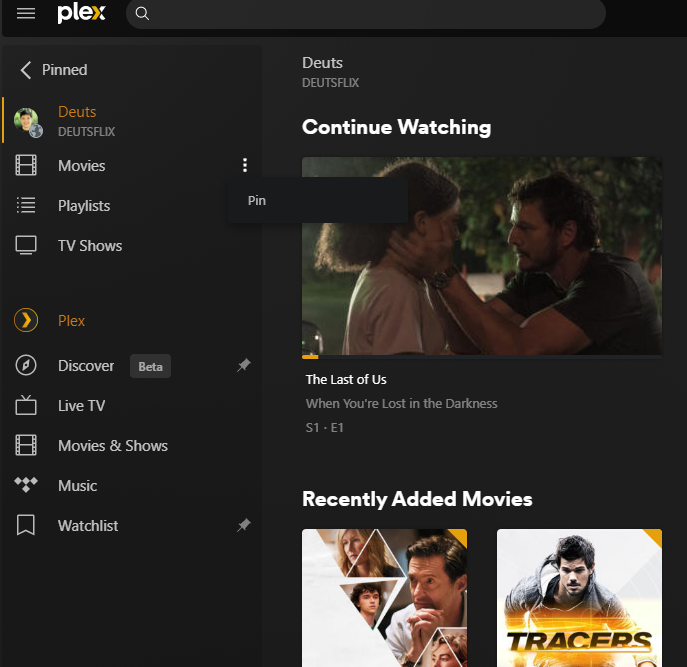
DeutsFlix movies and TV shows will now be in your homepage
Now you can start to stream away!
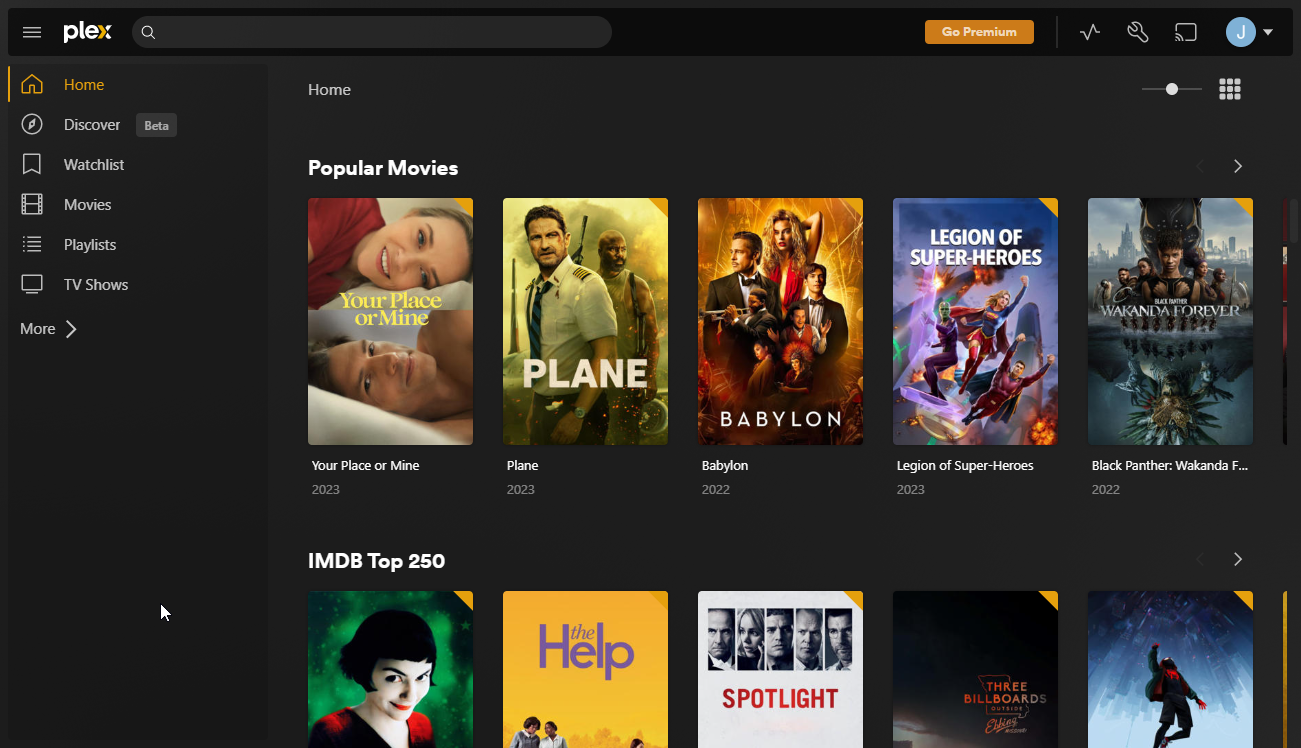
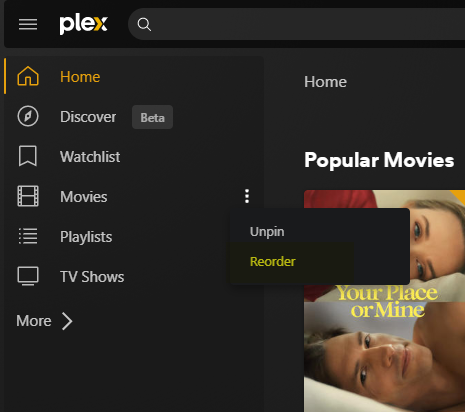
You can reorder the order of the libraries in the sidebar
Important Notes
- The screenshots above refer to pinning, unpinning and reordering libraries from the web browser. More likely, your settings here will not affect your experience with another Plex client. Please refer to the instructions on how to do the same with your Plex client of choice.
Last modified: Tue Feb 14 15:10:42 2023